
Glob.AI by Globant

Free vulnerability management brief

Day zero,
in two pages.

A new CVE goes public. By lunch, someone asks if it hits you. This brief sets out the four questions your team has to answer, and how two Glob.AI AI Pods answer them.

  • The four questions every new CVE asks.
  • What it takes to answer them by hand.
  • How two AI Pods answer them, who approves, and what stays on the record.

Get the brief

Two pages, A4, PDF. Updated November 2026.

  1. Your email
  2. About you
Step 1 of 2: your work email

One email with the PDF. Privacy policy (opens in a new tab)

Glob.AI is Globant's AI Native Services Platform for AI adoption. AI Pods deliver the work. Glob.AI OS governs it.

Page 1 of the brief

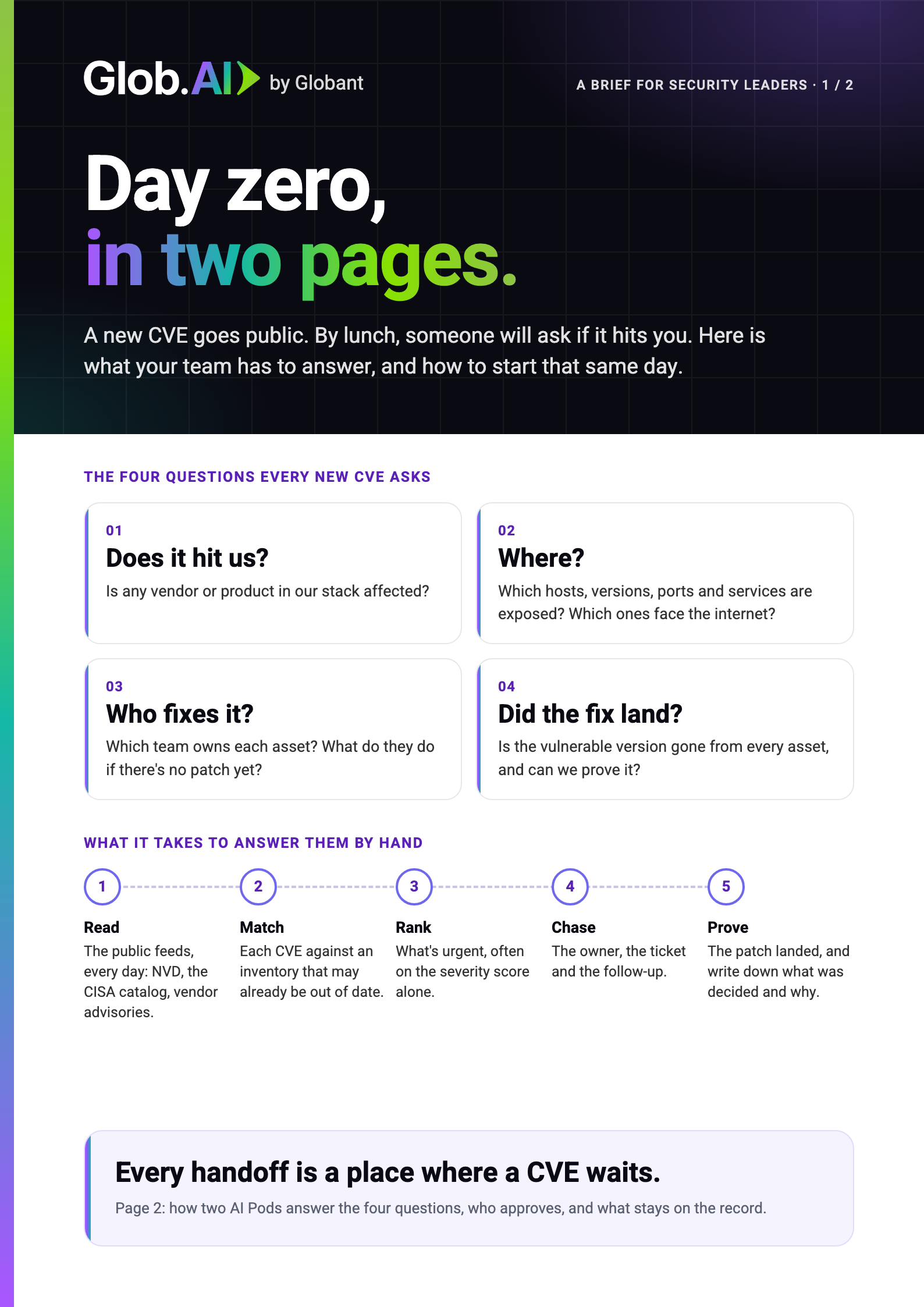
Every new CVE asks the same four questions.

  1. Does it hit us?

    Is any vendor or product in our stack affected?

  2. Where?

    Which hosts, versions, ports and services are exposed? Which ones face the internet?

  3. Who fixes it?

    Which team owns each asset? What do they do if there's no patch yet?

  4. Did the fix land?

    Is the vulnerable version gone from every asset, and can we prove it?

Answered by hand, each one is a handoff. Every handoff is a place where a CVE waits.

What's inside

Two pages, built to be forwarded.

Page 1 is the problem, in your team's words. Page 2 is how the Zero-day Vulnerability Management and Secure Code Review AI Pods answer each question, step by step, with who approves at each one.

Get the 2-page brief
Page 2 of the brief: how the two AI Pods answer each questionPage 1 of the brief: the four questions and what it takes to answer them by hand

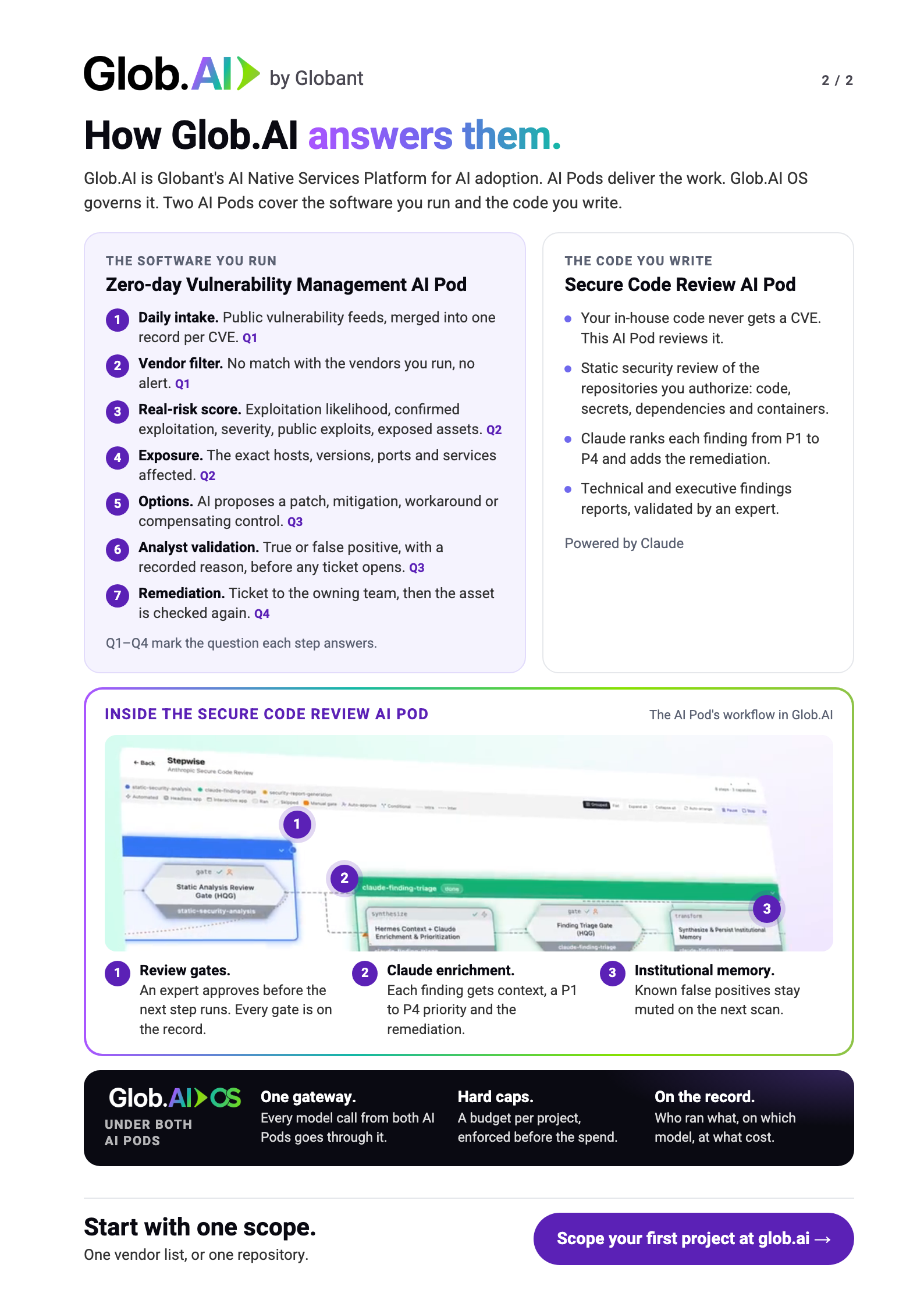
Page 2 of the brief

Two AI Pods. Both sides of your exposure.

The software you run

Zero-day Vulnerability Management AI Pod

  • Checks public vulnerability feeds every day and keeps only the CVEs that match your vendors.
  • Ranks each one by real risk and shows the exact hosts, versions and services exposed.
  • Each ticket goes to the team that owns the asset. After the patch, the asset is checked again.

It never acts alone: an analyst approves each finding before any ticket opens.

Get the 2-page brief

The code you write

Secure Code Review AI Pod

  • Static security review of the repositories you authorize: code, secrets, dependencies and containers.
  • Claude ranks each finding from P1 to P4 and adds the remediation.
  • Technical and executive findings reports.

It never acts alone: an expert validates every finding before it reaches you.

Powered by Claude

See it in the AI Pods catalog (opens in a new tab)

Both are AI Pods (opens in a new tab): specialized agents do the work, and an expert approves before it acts. Glob.AI OS (opens in a new tab) keeps a full record of what the AI actually did, so an audit is a query, not an investigation.

FAQ

Questions we get asked

What is in the brief?

Two pages. Page 1 sets out the four questions every new CVE asks and what it takes to answer them by hand. Page 2 shows how the Zero-day Vulnerability Management and Secure Code Review AI Pods answer them, who approves, and what stays on the record.

Does Zero-day find vulnerabilities nobody knows about?

No. It detects newly disclosed CVEs on the day they go public, matches them to the vendors and assets you run, and ranks them by real risk. For flaws in your own code, the Secure Code Review AI Pod reviews the repositories you authorize.

Who approves what the AI does?

An expert approves before it acts. An analyst validates every Zero-day finding, with a recorded reason, before a ticket opens. An expert validates every Secure Code Review report.

What happens after I download it?

You get the PDF by email. If you want to see it on your own stack, we start with one scope: one vendor list or one repository.

Know what the next CVE hits.

Two pages to read today. When you want to see it on your own stack, start with one vendor list or one repository.

function getGAClientID() { let match = document.cookie.match(/_ga=([^;]*)/); return match ? match[1].split('.').slice(-2).join('.') : null; } document.addEventListener("DOMContentLoaded", function() { let clientID = getGAClientID(); if (clientID) { document.getElementById('client_id').value = clientID; } });